
Guide · Naval strategy · Action
How to play Ironhull
Ironhull is a naval battle game where you defend the Mist route against waves of pirates. You do not aim the guns here: you turn your ship. This guide explains how to play and how to reach the last contract.
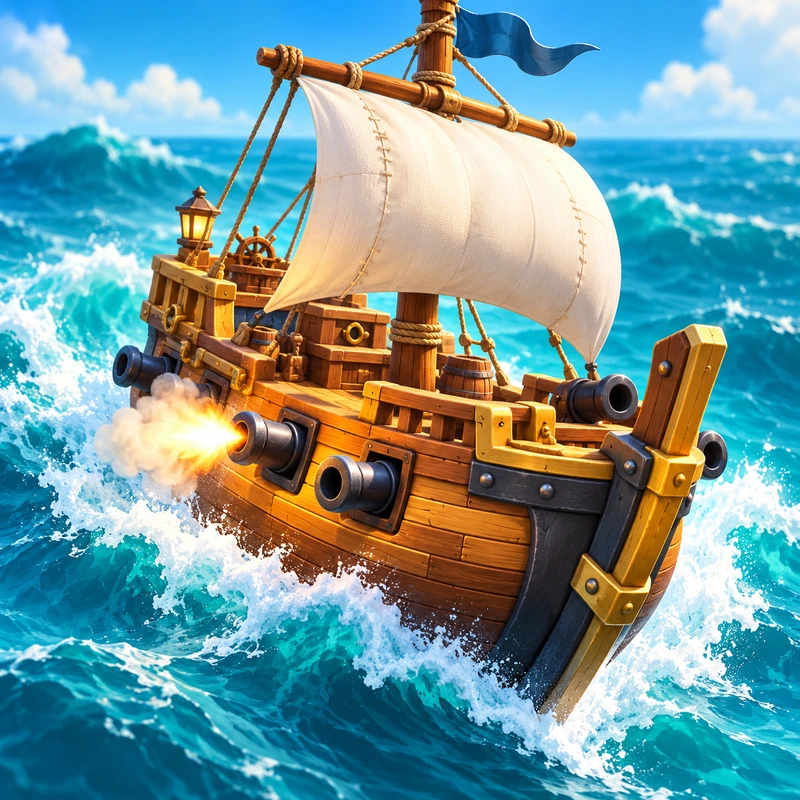
What is Ironhull?
You are the captain of a ship with its guns along the sides, like the galleons of old. Pirates arrive from several directions at once and each battery only fires toward its own side. So your job is to handle the helm: turn the ship to bring the pirates broadside and let your guns sink them. The guns fire on their own.
After every wave you pick one card out of three that improves your ship for that voyage: one more gun, fine powder, incendiary shot, grapeshot and many more. Finishing a contract pays doubloons, the port’s currency.
How to play
On a phone
Hold the helm buttons, ⟲ and ⟳, to turn left or right. To fire the Barrage, tap the 💥 button and then the sea where the pirates are. You can also play with your phone sideways: the port and the battle adapt.
On a computer
Hold A or D to turn, or use the helm buttons with the mouse. Click the sea to fire the Barrage.
Watch the red arrows on the edge of the screen: they show where the next wave is coming from. Each battery draws a fan that lights up when it has a target, and the bow and stern carry smaller chase guns.
The goal
Ironhull is played in contracts: missions with several waves you must survive without sinking. Survive the last one and you win the contract, collect your doubloons and unlock the next one on the map of the Mist Archipelago. If your ship sinks, you can try again.
The Barrage is your ace in the hole: a rain of cannonballs on the spot of sea you choose. It takes 30 seconds to reload, so use it on big ships or on whatever you cannot face in time.
Contracts, ships and modes
The campaign has 10 contracts: First cargo, Rum for Tortuga, Sails on fire, Murky waters, The narrow pass, Night convoy, The colossus, Powder storm, Siege of the Mist and, finally, Captain Red Skull. There are three ships, each with its own style, and more ways to play:
- Sloop: turns very fast, but its batteries fire two shots and its hull is light. It sets sail with the Veteran gunners card.
- Frigate: the all-rounder, with three-shot batteries and chase guns.
- Galleon: two batteries per side and a huge hull, but it turns slowly. It sets sail with the Ballast card.
- Daily voyage: a new challenge every day.
- Open sea: endless waves to beat your record.
- Daily chest and missions: the chest gives more loot if you open it several days in a row, up to day 7, and there are daily and weekly missions, such as sinking golden pirates or winning the Daily voyage.
The pirates you will face
Each kind of pirate calls for a different answer:
- Boarding boats: they come in groups to board you; one broadside sinks them outright.
- Pirate sloops: they keep their distance and shell you nonstop; turn them broadside.
- Fireships: burning ships that explode against your hull. Sink them far away and the fire spreads to their own fleet.
- Saboteur divers: they travel underwater and damage your hull up close. Turn so a battery or a chase gun can reach them.
- Brigs: armoured and long-ranged. Piercing shot and fire hurt them more.
- Galleons: huge tanks that ram your hull again and again. Turn them broadside and finish them with the Barrage.
- Captain Red Skull: circles you, fires from both sides and drops boats. Keep turning.
Tips to play better
- Never leave a flank open. Pirates arrive from several sides at once. Check the red arrows and decide who to face first.
- Turn in short bursts. You do not need full circles: a short turn is usually enough to point one side at the fleet, and it keeps you ready to answer on the other side.
- Save the Barrage. It reloads in 30 seconds. Use it on galleons, brigs or when you are surrounded, not on the first boat you see.
- Look for legendary combos. Some cards combine: Incendiary shot plus Grapeshot can unlock Inferno, where every grapeshot hit leaves a pool of fire. Winning contracts adds new cards to your collection.
- Repair in time. If your hull is low, cards like Carpenters or Planks repair it. Sometimes staying afloat matters more than hitting harder.
- Pick a ship that suits you. If you struggle to turn in time, try the Sloop; if you would rather soak up hits, take the Galleon.
- Think through the events. Between waves you may meet a shipwreck, a powder merchant or mutiny rumours, each with two choices. Read carefully: some cost hull in exchange for more damage.
- Open the chest every day. The daily chest gives more loot when you open it on consecutive days, up to day 7.
Frequently asked questions
- Is it free?
- Yes. Ironhull is free to play in your phone or computer browser.
- Do I have to aim the guns?
- No. The guns fire on their own when a pirate enters their fan. You turn the ship and decide when to fire the Barrage.
- How many contracts are there?
- Ten, and the last one is against Captain Red Skull. You can also play the Daily voyage and the Open sea.
- Which languages does it support?
- English and Spanish, with the same contracts, ships and cards in both.
- Can I play with my phone sideways?
- Yes. The port and the battle adapt to landscape screens.
- Is my progress saved?
- Yes. Your contracts, doubloons and upgrades are saved in the browser you play in. A different browser or device starts from scratch.